
New Payment Method Added: PayNow
We are happy to announce that we have added a new payment method for our products and services: PayNow 🎉

What is PayNow
PayNow is a peer to peer fund transfer service that allows you to transfer funds to 9 participating banks in Singapore:
 |  OCBC Bank |  UOB Bank |
 Citibank |  Maybank | |
|
|
|
Industrial and Commercial Bank of China (ICBC) |



This enables you to send payments to GoldSilver Central using your bank's existing internet banking or mobile banking app via PayNow.
All you need is GoldSilver Central's PayNow QR Code or UEN (Unique Entity Number):
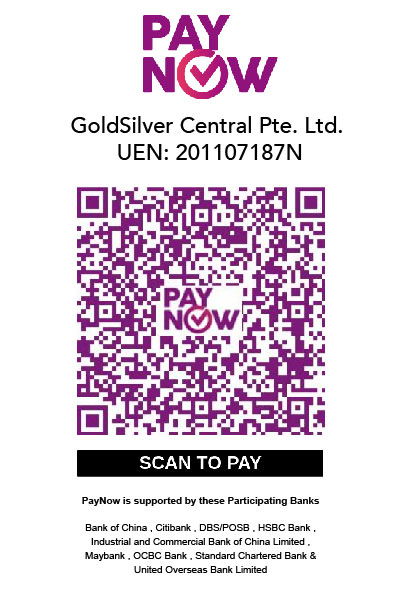
UEN: 201107187N
Why use PayNow for payments to GoldSilver Central:
- No bank charges/additional charges to you*
- Transfer Limit of S$ 200,000 per transaction**
- Multiple transactions are accepted
- Transactions are almost immediate
- 24/7 availability
- Safe and Secure
*Please note that this would be applicable from now until 31 December 2019.
**The transfer limit would depend on your own limits set for your Fund Transfer Limits in your Online Banking Account.
How to use PayNow to make payments/funds transfers
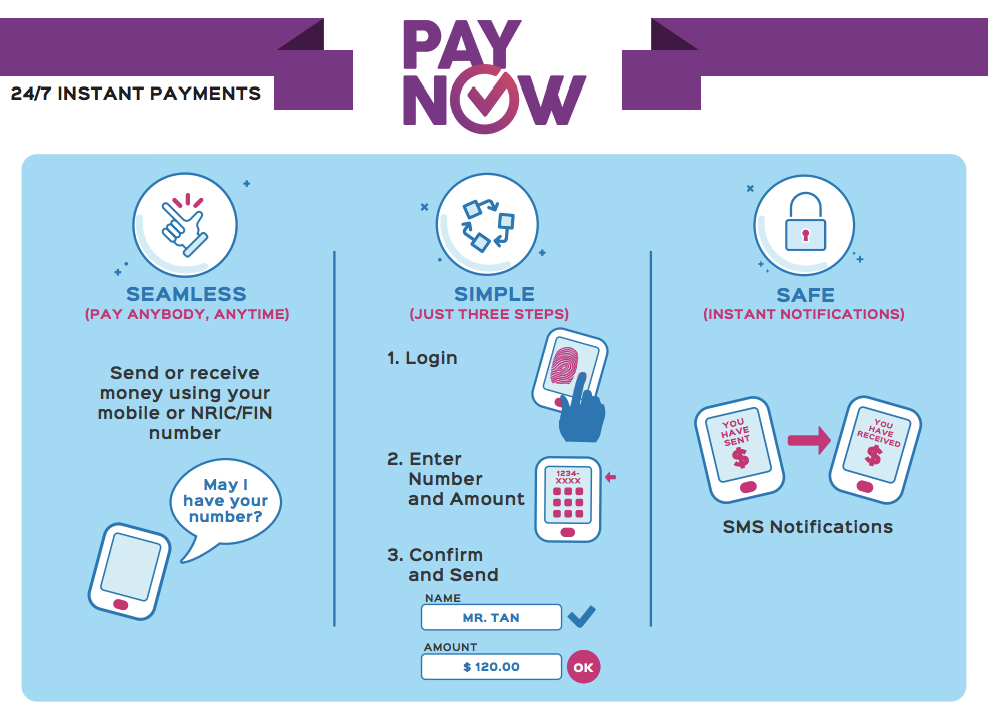
- Log into your Bank's existing Internet Banking Platform/ Mobile Banking app. (For each bank's instructions on using PayNow, you can click on your bank's icon above to be directed to their designated PayNow information page)
- At PayNow transfer screen, you can either scan the GoldSilver Central PayNow QR Code or choose Unique Entity Number and key in our UEN: 201107187N.
- Key in the Amount to be transferred.
- Confirm that the recipient of the funds is GoldSilver Central, and send the money. It will be transferred almost instantly.
- The status of your transfer will be shown in your existing Internet Banking Platform/ Mobile Banking app.
https://www.abs.org.sg/videos/File-System/paynow_send-money-demo-video_final.mp4?_=1
And that's it!
The QR code and UEN Number will be updated on our website's FAQ under Regarding Payment - What are my payment options, and on our Standard Settlement Instructions (SSI) available in Resources.